Know where your money actually went
Expensifo is a personal finance tracker that stays out of your way. Add a record, pick a category, move on — the totals, charts and monthly breakdowns build themselves.
- Log an expense in about five seconds
- See income, spending and balance for any month
- Nothing leaves your phone — there is no account
No sign up. No ads. No connection required.
Completely free
Every screen, every feature. No paywall, no subscription, no ads.
Private by default
Records live on your device. Nothing is uploaded, because there is no server.
Works offline
Add an expense on a plane, in a basement, anywhere. No connection needed.
No sign up
Open the app and start. No email, no password, no profile to create.
The problem
Most budgeting apps want your bank login.
This one wants a number.
Linked accounts, verification emails, permission screens — you can spend twenty minutes setting up a tracker before it tells you anything. Expensifo opens on an empty month and waits for you to fill it in. That is the whole setup.
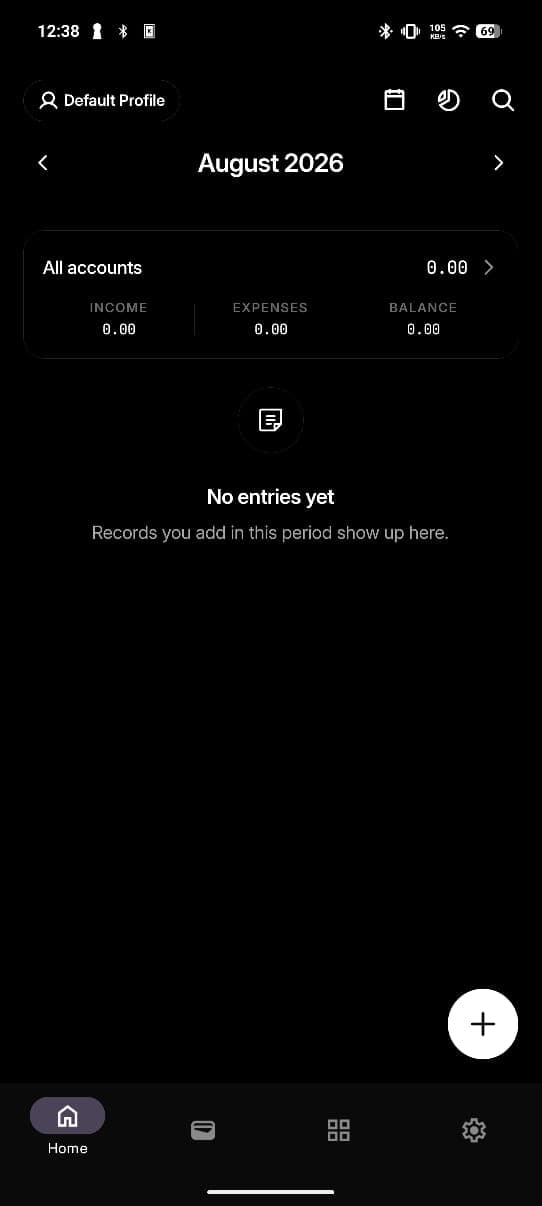
An empty month. No linked bank, no permissions, no onboarding.
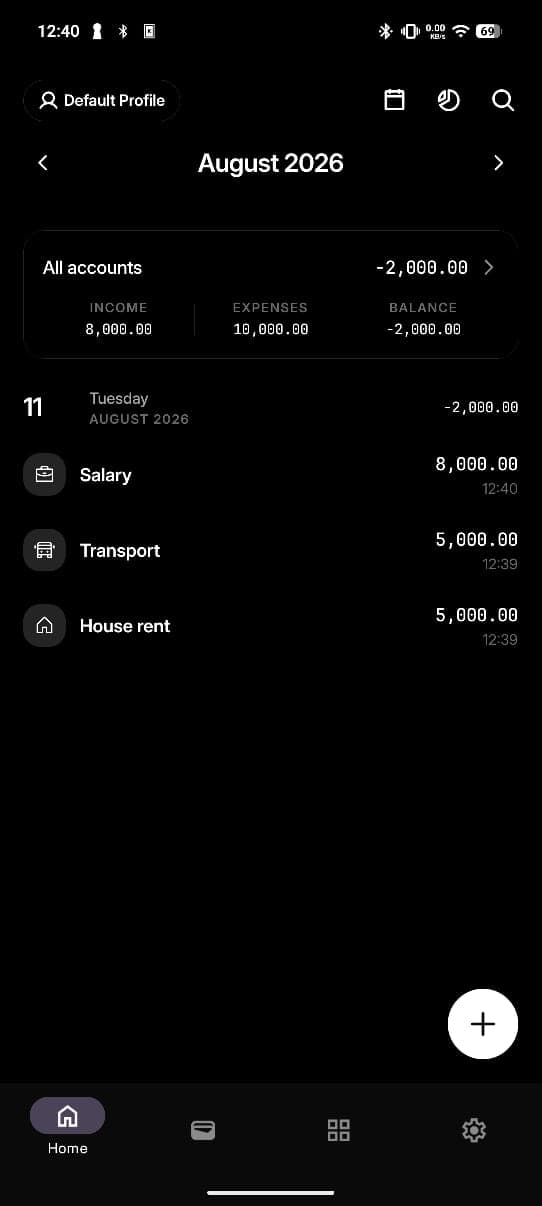
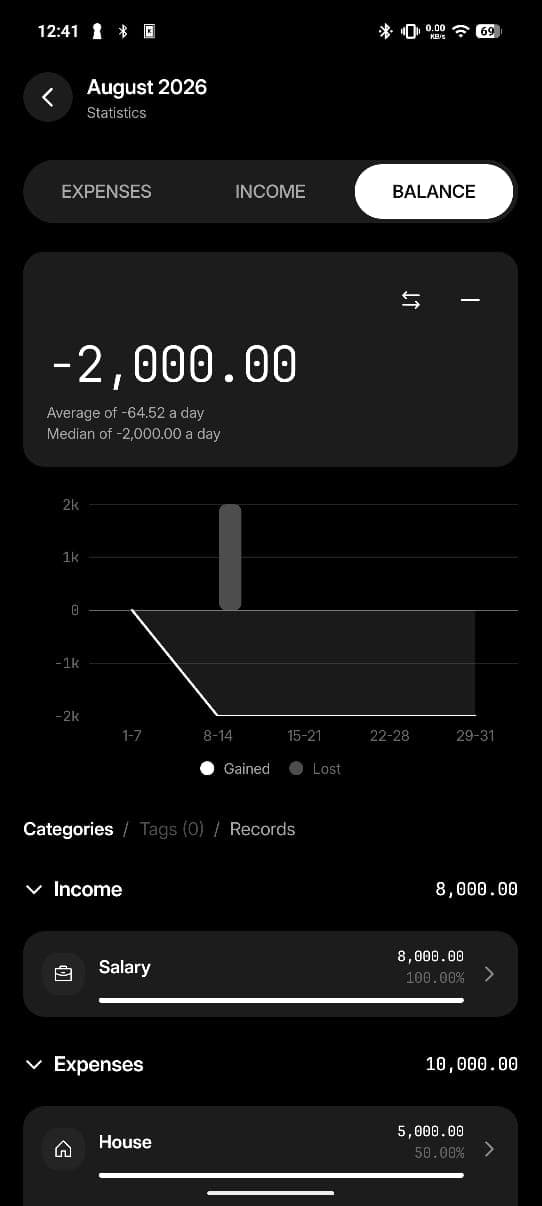
Three records in, and the month already tells you something: you are 2,000 under.
How it works
Fast to enter. Tidy by the end of the month.
Capture
Add a record before you put your phone away
One button on the home screen. Enter the amount, pick a category, add a note if it matters. Income and expenses use the same flow, so there is nothing new to learn for either.
- Wallets and profiles
- Keep cash, cards and separate pots of money apart — or run entirely separate profiles.
- Recurring patterns
- Rent, salary and subscriptions repeat on their own instead of being re-entered every month.
- Any currency
- Set the currency, decimal digits and thousand separator to match how you actually write numbers.
Organise
Categories that stay yours
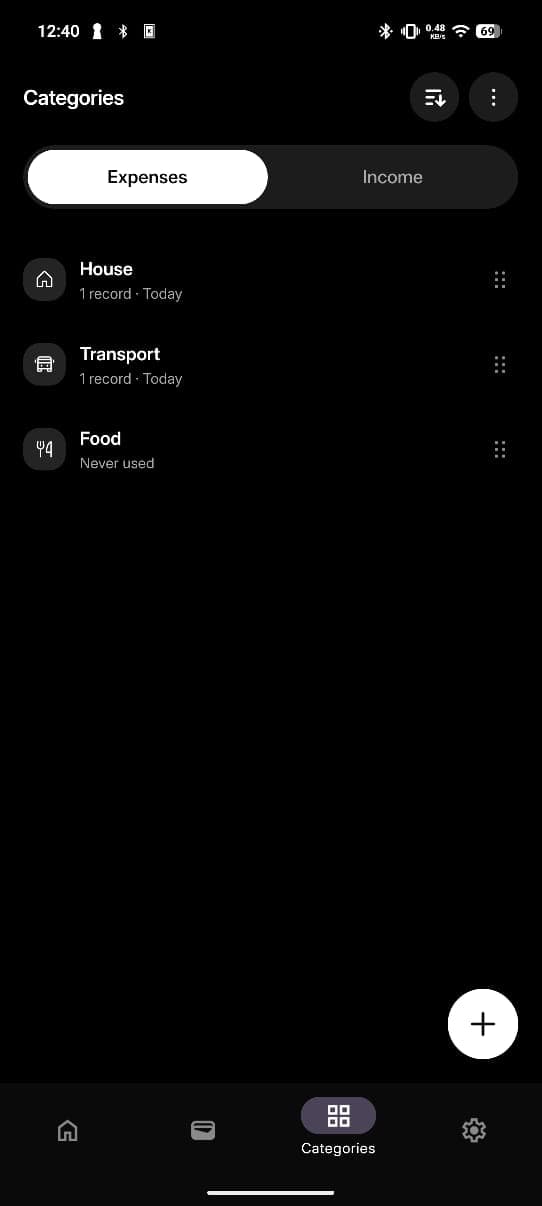
Expenses and income keep their own category lists. Build the set that matches your life, reorder it so the ones you use daily sit at the top, and let the rest sink.
- See what is earning its place
- Every category shows its record count and last use — including the ones marked 'Never used'.
- Reorder by hand
- Drag the categories you reach for most to the top of the list.
- Tags on top
- Add tags when a category is not enough, then filter and total by them later.
Insights
Three tabs, and the month makes sense
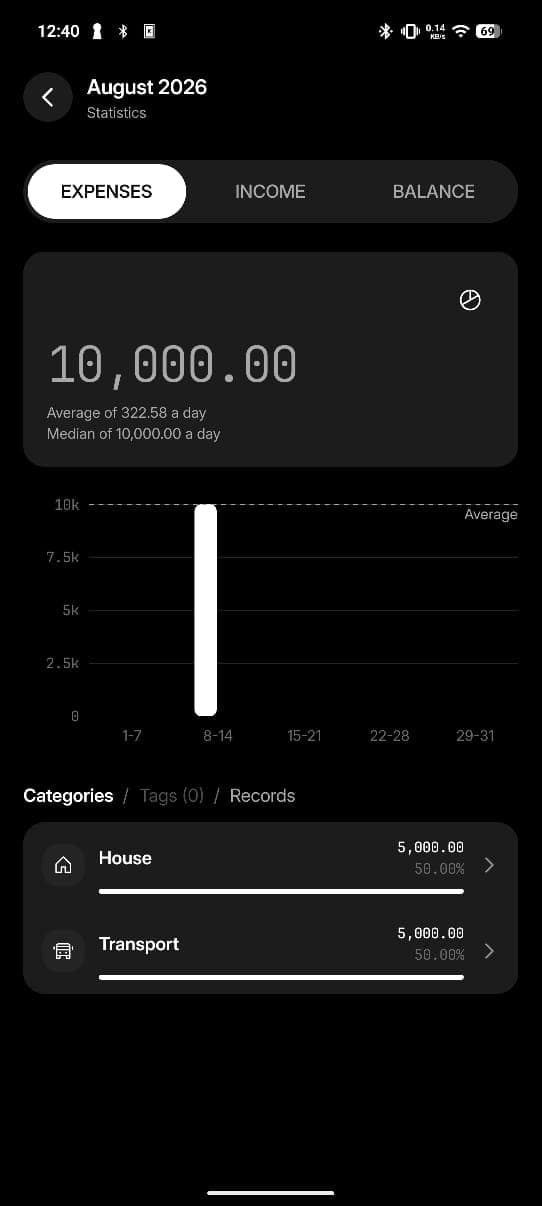
Statistics is not a dashboard you have to assemble. Pick a period, and every view already has the total, the daily average and median, a chart by week, and a ranked breakdown underneath.
- Expenses
- Where it went, ranked by category, tag or single record.
- Income
- What came in, split the same way, so the two are comparable.
- Balance
- Gained against lost, plotted across the weeks of the month.
322.58
Average a day
10,000.00
Median a day
50.00%
House, of expenses
Figures shown are from the sample month pictured.
Privacy
Your money stays your business
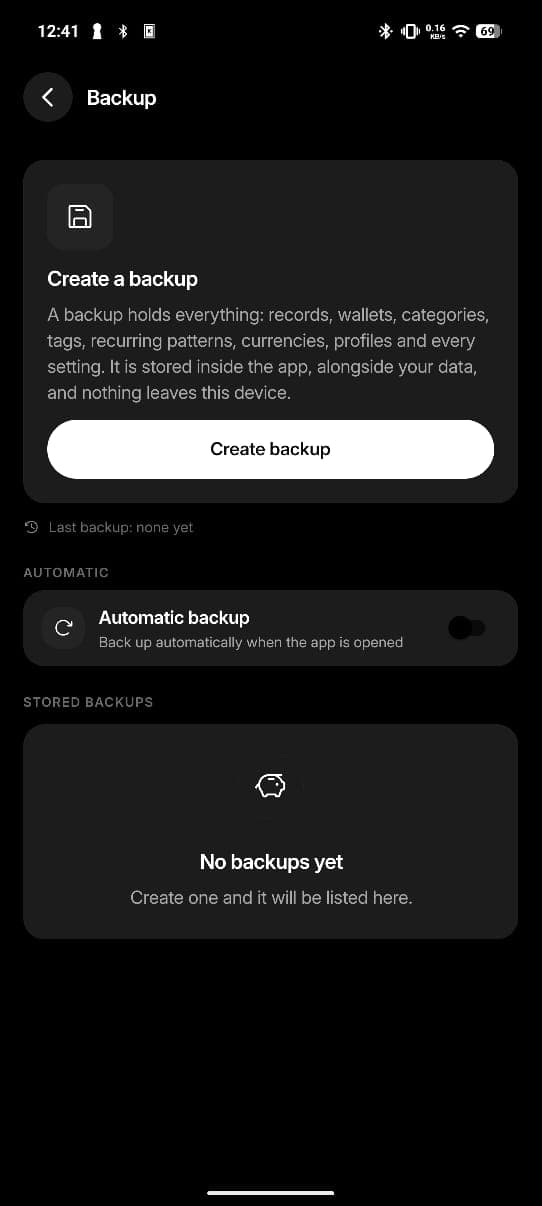
“A backup holds everything… It is stored inside the app, alongside your data, and nothing leaves this device.”
From the Backup screen, verbatim
That sentence is the entire privacy model. Nothing is synced, nothing is analysed, and there is no account to delete if you walk away.
- No account, no server
- There is nowhere for your data to be uploaded to. Expensifo has no backend at all.
- One file holds everything
- Records, wallets, categories, tags, recurring patterns, currencies, profiles and every setting.
- Automatic if you want it
- Turn on automatic backup and the app snapshots itself when it opens.
Make it yours
Down to the decimal separator
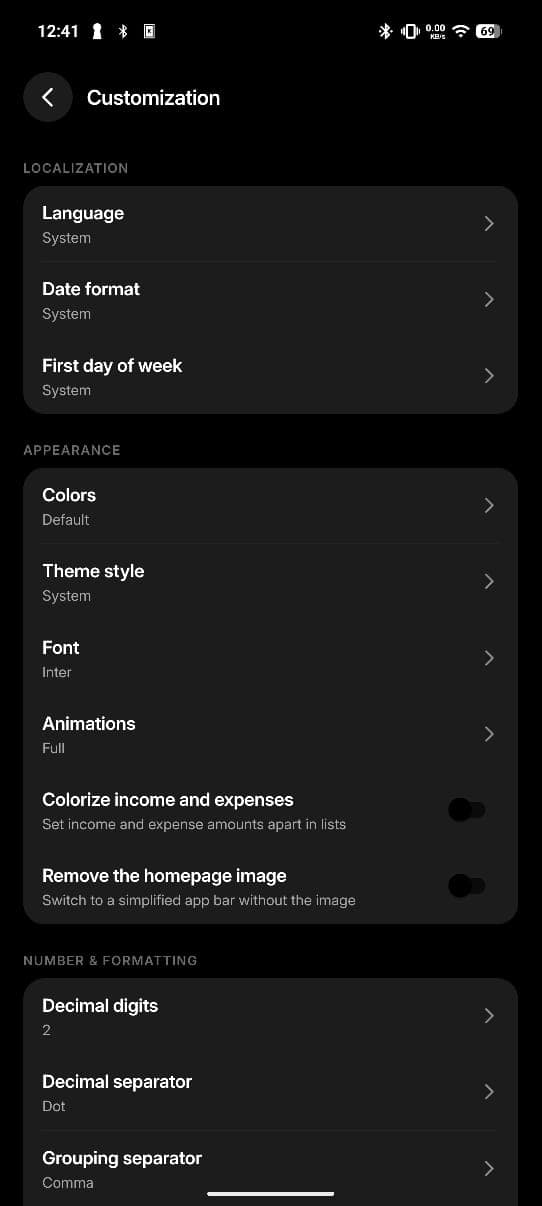
Money is written differently everywhere. Expensifo lets you set the format, the language, the week start, the theme and the typeface until the app reads the way you do.
- Language
- Date format
- First day of week
- Colors
- Theme style
- Font
- Animations
- Colorize income and expenses
- Homepage image
- Decimal digits
- Decimal separator
- Grouping separator
Yes. There is no paid tier, no trial that expires and no advertising. Every feature described on this page is in the app you download.
Start with this month
Install it, add the last thing you paid for, and you are already tracking. Free, offline, and nobody else sees a number.
Android · No account required